 By Rahul Vats
 Railway employees receive special travel benefits, and one of the most useful options is the Privilege Ticket Order (PTO). With the HRMS Indian Railways, you can apply for PTO online without visiting your office. This digital system makes the process faster, transparent, and easy to track.
Earlier, employees had to submit manual forms for PTO. However, now you can apply, check status, and manage requests directly from your dashboard. Therefore, this guide explains the complete HRMS Railway PTO application process step by step, along with eligibility requirements, rules, tips, and solutions to common issues.
What is PTO in Indian Railways?
Before starting the process, you should understand what PTO means. A Privilege Ticket Order (PTO) allows railway employees to travel at concessional fares instead of full ticket prices.
Key Points:
- PTO provides discounted travel
- Employees pay a reduced fare
- Available for personal travel
Therefore, it helps employees save on travel costs.
Why Use HRMS for PTO Application
Applying PTO through HRMS offers several advantages.
Key Benefits:
- Online application process
- Faster approval
- Easy tracking
- No paperwork
As a result, employees can manage travel benefits efficiently.
Eligibility for PTO
Before applying, ensure that you meet the eligibility criteria.
Eligible Users:
- Permanent railway employees
- Employees with valid service records
- Eligible family members (as per rules)
Therefore, check eligibility before applying.
Requirements Before Applying for PTO
Before starting the process, make sure you have all the required details ready.
You Need:
- HRMS ID or Username
- Password
- Travel details
- Passenger details
- Stable internet connection
In addition, ensure your profile information is up to date.
Step-by-Step Guide to Apply PTO in HRMS Railway
Now, let’s go through the complete process. Follow each step carefully.
Step 1: Visit the Official HRMS Railway Portal
First, open your browser and visit the official HRMS Railway website.
Always use the correct portal to avoid security risks. Once the homepage loads, go to the login section.
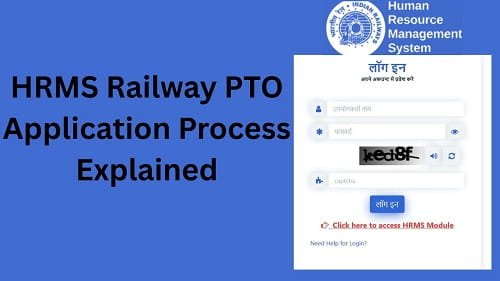
Step 2: Log In to Your Account
Next, enter your login details:
- HRMS ID or Username
- Password
After that, complete OTP verification if required. Then, click on the Login button.
If your details are correct, you will be able to access your dashboard.
Step 3: Navigate to the Pass/PTO Section
After logging in, look for the Pass & PTO section.
This section contains all travel-related services.
Step 4: Select PTO Application Option
Now, click on the Apply for PTO option.
This will open the PTO application form.
Step 5: Enter Travel Details
Next, fill in your travel information.
Required Details:
- Journey date
- Source and destination
- Class of travel
- Number of passengers
Therefore, provide accurate information.
Step 6: Add Passenger Details
After that, add passenger details.
Include:
- Name
- Age
- Relationship
As a result, all passengers will be included.
Step 7: Review Application
Before submitting, review all details carefully.
Check:
- Travel details
- Passenger information
- PTO type
Therefore, double-check everything to avoid errors.
Step 8: Submit PTO Application
Finally, click on the Submit button.
After submission:
- Your application gets recorded
- It goes for approval
As a result, the process moves forward.
How to Check PTO Application Status
After applying, you can track your PTO status.
Steps:
- Go to the Pass/PTO section
- Click on Application Status
- View current status
Status Types:
- Pending
- Approved
- Rejected
Therefore, you can stay updated.
What to Do After PTO Approval
Once your PTO gets approved, you should take a few steps.
Recommended Actions:
- Download or print PTO
- Verify travel details
- Carry a valid ID
As a result, your travel becomes smooth.
Common Issues While Applying for PTO (And Fixes)
Although the process is simple, users sometimes face problems. However, you can easily fix them.
1. Application Not Submitting
Solution:
- Fill all required fields
- Check the internet connection
2. Incorrect Details Entered
Solution:
- Review application
- Edit before submission
3. Status Not Updating
Solution:
- Refresh page
- Wait for processing
4. Unable to Access PTO Section
Solution:
- Check login status
- Clear browser cache
Tips for a Smooth PTO Application
To avoid issues, follow these simple tips.
Helpful Tips:
- Apply in advance
- Enter accurate details
- Check eligibility
- Track the application regularly
As a result, your application gets approved faster.
Common Mistakes You Should Avoid
Many employees make simple mistakes.
Avoid These:
- Selecting the wrong details
- Entering incorrect information
- Submitting an incomplete form
- Ignoring eligibility
Therefore, careful application ensures success.
What to Do If PTO Application Is Rejected
If your PTO gets rejected, do not worry.
You Can:
- Check rejection reason
- Correct errors
- Reapply
They can help improve your chances.
FAQs on HRMS Railway PTO Application
Q1. What is PTO in HRMS Railway?
A: It is a concessional travel facility for employees.
Q2. How can I apply for PTO?
A: You can apply through the Pass/PTO section after login.
Q3. Can I include family members?
A: Yes, if eligible.
Q4. How long does approval take?
A: It depends on processing time.
Q5. Can I track PTO status?
A: Yes, through the portal.